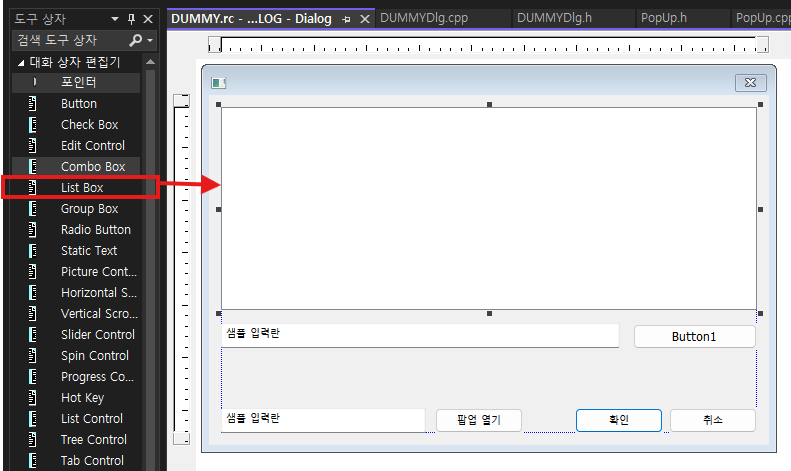
도구상자에서 List Box 추가
List Box 에서 오른쪽 버튼 클릭 후 변수 추가

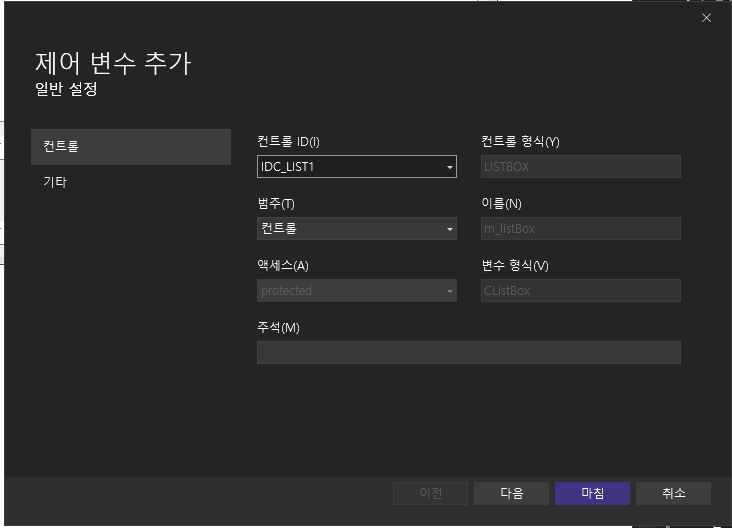
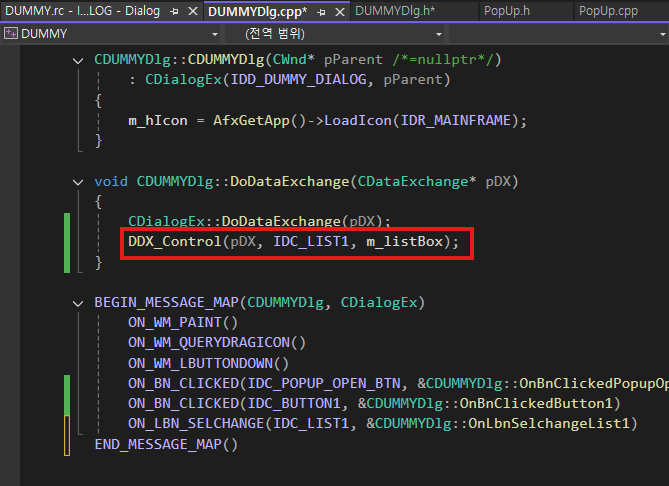
이렇게하면
.h

.cpp
응용예제 - 로그출력 화면처럼 표현
void CDUMMYDlg::OnBnClickedButton1()
{
	// 에딧에 입력한거
	CString msg;
	GetDlgItemText(IDC_EDIT2, msg);

	int index = m_listBox.InsertString(-1, msg);

	m_listBox.SetCurSel(index);
}
현재 선택된 인덱
int index = m_listBox.GetCurSel();
아이템 추가 - AddString();
m_listBox.AddString(L"Apple");
m_listBox.AddString(L"Banana");
m_listBox.AddString(L"Orange");
전체 삭제 - ResetContent()
m_listBox.ResetContent();
아이템 개수 - GetCount()
int count = m_listBox.GetCount();
선택된 문자열 가져오기 - GetText
CString text;
int index = m_listBox.GetCurSel();

if (index != LB_ERR)
{
    m_listBox.GetText(index, text);
}
특정 인덱스 삭제
m_listBox.DeleteString(index);
특정 위치에 삽
m_listBox.InsertString(1, L"Inserted Item");끝에 저장하려면 첫번째 매개변수 0으로
더블클릭시에 해당 인덱스 팝업
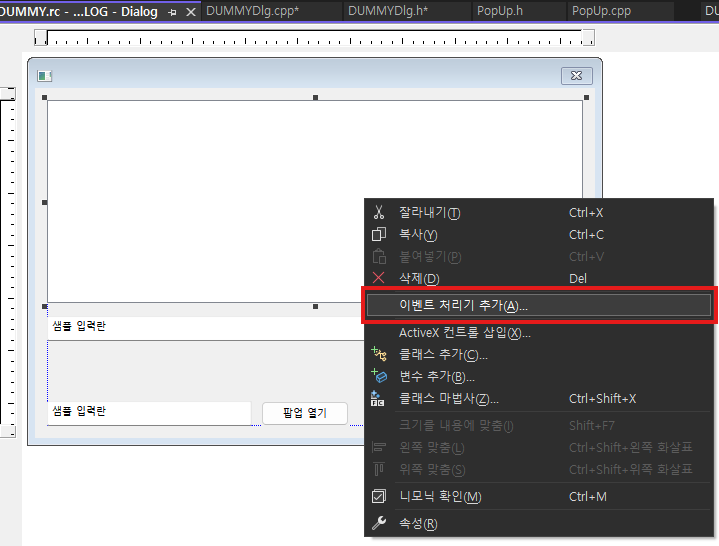

void CMyDlg::OnLbnDblclkList1()
{
    int index = m_listBox.GetCurSel();

    if (index != LB_ERR)
    {
        CString text;
        m_listBox.GetText(index, text);

        AfxMessageBox(text);
    }
}

'C++ > MFC' 카테고리의 다른 글
| [MFC] Dialog 추가하기 - DoModal (0) | 2025.12.25 |
|---|---|
| [MFC] CRect (0) | 2025.12.25 |
| [MFC] CString (0) | 2025.12.25 |
| [MFC] WM_LBUTTONDOWN, OnLButtonDown (0) | 2025.12.25 |
| [MFC] 클래스 마법사 (0) | 2025.12.25 |